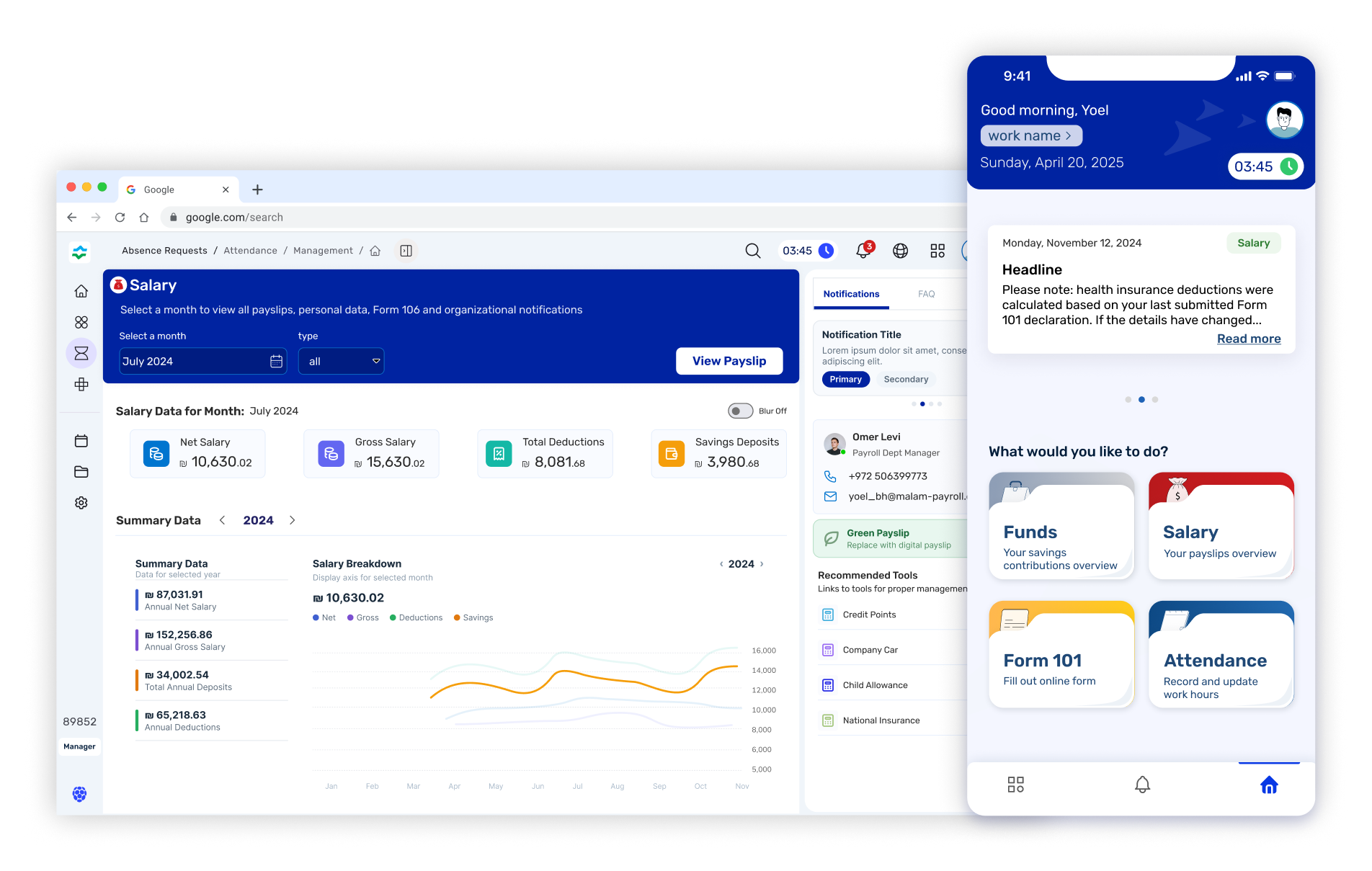
FinTech · B2B · Employee Experience

Empowering the
Modern Employee:
A Unified B2B Portal.

Shifting from fragmented, isolated tools to a single, intuitive hub — where attendance, payroll, salary slips, and pension data all live in one coherent experience.

Role
Product Designer & UX Researcher
Industry
FinTech / B2B Enterprise
Audience
Employees & HR Managers
Status
Active Agile Development
Hero Product Mockup
The Problem & Research

A fragmented
employee reality

Employees were navigating four or five separate systems just to answer basic questions about their pay, attendance, or pension. Each portal had its own login, logic, and learning curve — creating friction at the most human moments of the employee lifecycle.

Cognitive Overload: Users were forced to context-switch constantly, carrying mental models across incompatible interfaces.
Fragmented Data: Payroll figures, pension balances, and attendance logs existed in siloed systems with no unified view.
Outdated Interfaces: Legacy HR portals used dense, form-heavy layouts that demanded expert knowledge to operate.
Zero Personalization: Information priority was static — every user saw the same screen regardless of their role, urgency, or context.
User Interviews
In-depth sessions with employees across finance, operations, and HR to map mental models and identify friction hotspots in daily workflows.
Process Mapping
End-to-end journey maps surfacing where users dropped off, made errors, or required support — revealing the true cost of fragmentation.
System Analysis
Audited existing platforms to document data relationships, API constraints, and integration opportunities that would shape the new IA.
Research Findings / User Persona
Core Innovation #1
Privacy by Design

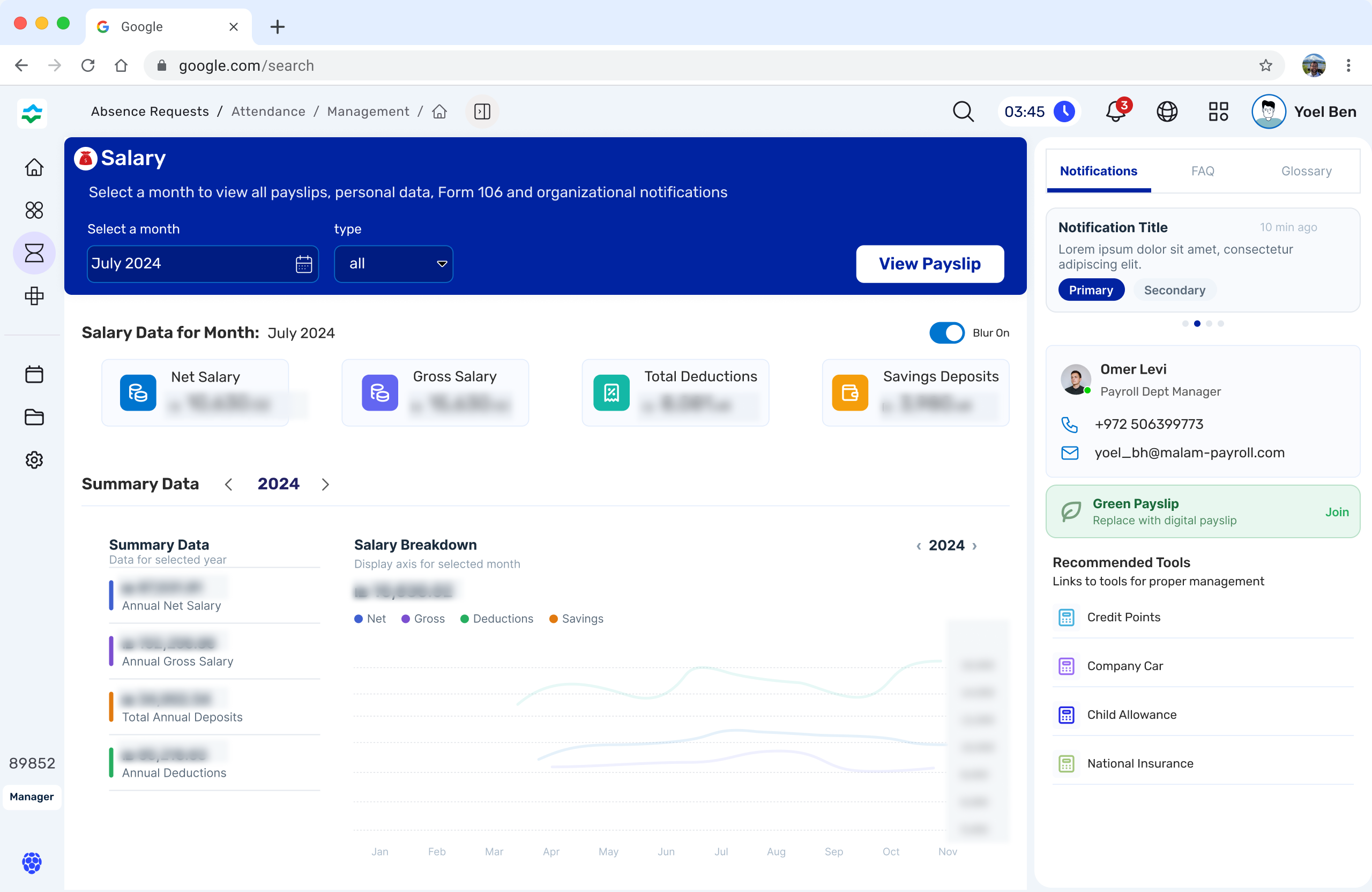
The Privacy Toggle

A consistent pattern emerged in research: employees regularly opened their payroll dashboard in open-plan offices, on the train, or in shared spaces. Salary figures, pension balances, and tax deductions were exposed to colleagues and strangers — creating anxiety that prevented users from engaging with the product naturally.

Core Insight
"I always feel a bit stressed opening my salary slip on the train. You never know who's looking." — User interview participant. 38% of interviewees reported avoiding the app in public specifically because of this fear.

The solution: a Privacy-First Lobby where all financial figures are hidden by default. The design treats data visibility as a deliberate, active choice — not a passive consequence of opening the app.

Before / After Interaction — Privacy Toggle
State 01 · Default
Lobby: Blurred Mode
Upon opening, all financial values are masked with a soft blur. The UI remains fully functional and scannable — only the sensitive numbers are hidden. Zero disruption to the layout.
State 02 · Interaction
Active Reveal
A single, prominent toggle — designed with a satisfying micro-interaction — lets the user consciously choose to reveal their data. The gesture is intentional and deliberate, creating a moment of agency.
State 03 · Revealed
Full Data View
Numbers animate in smoothly. The session remembers the user's preference, auto-blurring again on next open or when the app is backgrounded — providing persistent protection without manual effort.
Core Innovation #2
Information Architecture

Progressive Disclosure
for Pension Data

Pension data is inherently complex: multiple funds, employer contributions, vesting schedules, and projected values. Presenting it all at once overwhelmed users — most skipped the pension section entirely. The redesign introduces a 3-tier information hierarchy that meets users exactly at their level of intent.

1
Lobby Summary
A single, confidence-building number: total pension balance. Enough to reassure without overwhelming. Visible at a glance from the main dashboard.
tap to expand
2
Expanded Modal
A contextual drawer surfaces fund breakdown, monthly contributions, and employer match — for users who want more but aren't ready for the full picture.
drill deeper
3
Deep-Dive Page
The full dedicated pension page with historical charts, document downloads, fund performance, and projected retirement values — for power users who need everything.
UI Breakdown — 3-Tier Hierarchy Diagram
Process & Iteration

Designed to
iterate fast.

Operating in an active Agile environment, I embedded design directly into the sprint cycle — shipping testable prototypes every two weeks and validating assumptions with real users before any development commitment.

01
Rapid Prototyping
Low-fi wireframes in Figma translated to clickable prototypes within 48 hours of each sprint kick-off — keeping feedback loops tight.
02
Usability Testing
Moderated and unmoderated testing sessions with 5–8 users per sprint, focused on task completion rates and time-on-task metrics.
03
Dev Collaboration
Design tokens, annotated specs, and edge-case documentation delivered in Figma — reducing dev ambiguity and implementation rework.
04
Ongoing Agile Phase
Currently in active development — continuously refining based on production analytics and emerging user feedback from early access cohorts.
Figma Agile / Scrum Usability Testing Design Tokens Rapid Prototyping
Wireframes / Prototypes